
You already set the environment up in Lesson 0 (Installation and Setup): the course package, ProjectAdm (with the token and the board created) and your AI open in a tab. Here you get BPM Together — powered by AI started — you understand the course, choose the real process that will stay with you from beginning to end, and leave your board ready for the next lesson. No redoing the setup: only what is specific to BPM.
1. What BPM Together is
BPM Together is the hands-on Business Process Management course in which you run the lifecycle of a real process, from alignment to measurement, with the AI doing the heavy lifting and you in command of the decisions. You choose one real process from your business (or your life) and take it through the five phases of the BPM lifecycle (according to the BPM CBOK), producing along the way a process that is redesigned, documented and measurable.
2. What you will learn
- What a process is, the three types (primary, support, management) and the value chain.
- Modeling the process in BPMN (with the AI generating the draft).
- Analyzing bottlenecks and waste, and designing the future state.
- Defining initiatives, implementing the change and measuring success — with governance and continuous improvement.
3. How it works (the method)
Every step follows the same rhythm: the menu hands you the prompt, you paste it into the AI you already use in your browser, review the answer and paste it into the “0. Inbox” card on your board; then you pick the same step again. You open no .py file. The golden rule: the AI proposes, you decide — nothing is created without your review. The process “runs” in ProjectAdm (the process board) and the diagram is drawn in bpmn.io.
4. Choose your process
Before configuring anything, decide what you are going to improve — this is the most important decision of the lesson. Choose a real process, with a clear beginning and end, that hurts you today (cost, rework, complaints, risk). It will be your thread from the beginning to the end of the course. Complete the sentence: “My process is ___, it starts when ___ and it ends when ___.” Avoid “the whole company” — start small.
Examples that work well: Expense reimbursement, Guest check-in, Onboarding a new employee, Handling a support ticket. What matters is that it is a process you know and can observe end to end.
5. Get BPM Together ready (2 steps)
Everything common to the Together courses — the package, the ProjectAdm account, the token and the board — you already did in Lesson 1. Only two steps are left here, and both are specific to BPM. (Haven’t done the setup yet? Go back to Lesson 1 (Standard installation) — the course package download is there — and come back here.)
Step 1 — The course asks for your process
You fill nothing in by hand. Iniciar already asked for your token and created your board in Lesson 0; the process name is the first question of step 1:
- The name of the process you have just chosen — step 1 asks for it and saves it by itself. The scripts use that name to name your board and the diagrams.
Never share the .env — it holds your token.
Step 2 — Build the board (run 01)
- Double-click
Iniciar.batand press1: it asks for your process name and organizes your board into the 5 lists of the BPM lifecycle — plusReference,INPUTS (Process)andCompleted (course). - The default ProjectAdm lists (To Do, In Progress, Done) are reused and renamed into the BPM phases, so the board is left with just the lifecycle phases — no leftover lists. (If you added cards to them, the script preserves those cards.)
Done: the board is built. The diagram you will draw later on in demo.bpmn.io (in the browser, nothing to install and no account) — nothing to do now.
6. Frequently asked questions
Do I need to download the package again or create another board?
No. You downloaded the package and created the board in Lesson 0. In this lesson you only choose the process and run 01 — which asks for its name and builds the BPM lists.
Is BPM the same as BPMN?
No. BPM is the management discipline; BPMN is the notation used to draw the processes. You will meet BPMN in the coming lessons.
Do I need to install anything or create a bpmn.io account?
No. We use the web version (demo.bpmn.io): it opens straight in the browser, with nothing to install and no login. You draw the diagram and export it as an image (PNG/SVG) to keep in the course folder.
What if I choose the wrong process?
You can change it: run step 1 again and give it another name. And if a step produced something you do not want, key Z resets that step — it always shows what it would erase and asks first.
Conclusion and next steps
With a process chosen and the board built, you are ready for the next lesson, where you learn the fundamentals and the BPM lifecycle. From there on, completing the quizzes leads to your BPM Together Certificate.
References
ABPMP. BPM CBOK — Guide to the Business Process Management Common Body of Knowledge, version 4.0.
Content based on the BPM CBOK 4.0 (ABPMP) and on the practical experience of Escritório de Projetos. This is an independent practitioner’s guide: it is not an official ABPMP publication and has not been endorsed by the association.
Project Together
Track your progress through PMBOK 8
Create your free account to save your reading progress, earn points on every quiz, and unlock certificates as you master each domain.
Create Free Account →Free forever • No credit card required
QUIZ
Want to test what you learned from this article?
One multiple-choice question + one practical reflection. Earn Project Together points!
Go deeper in the book
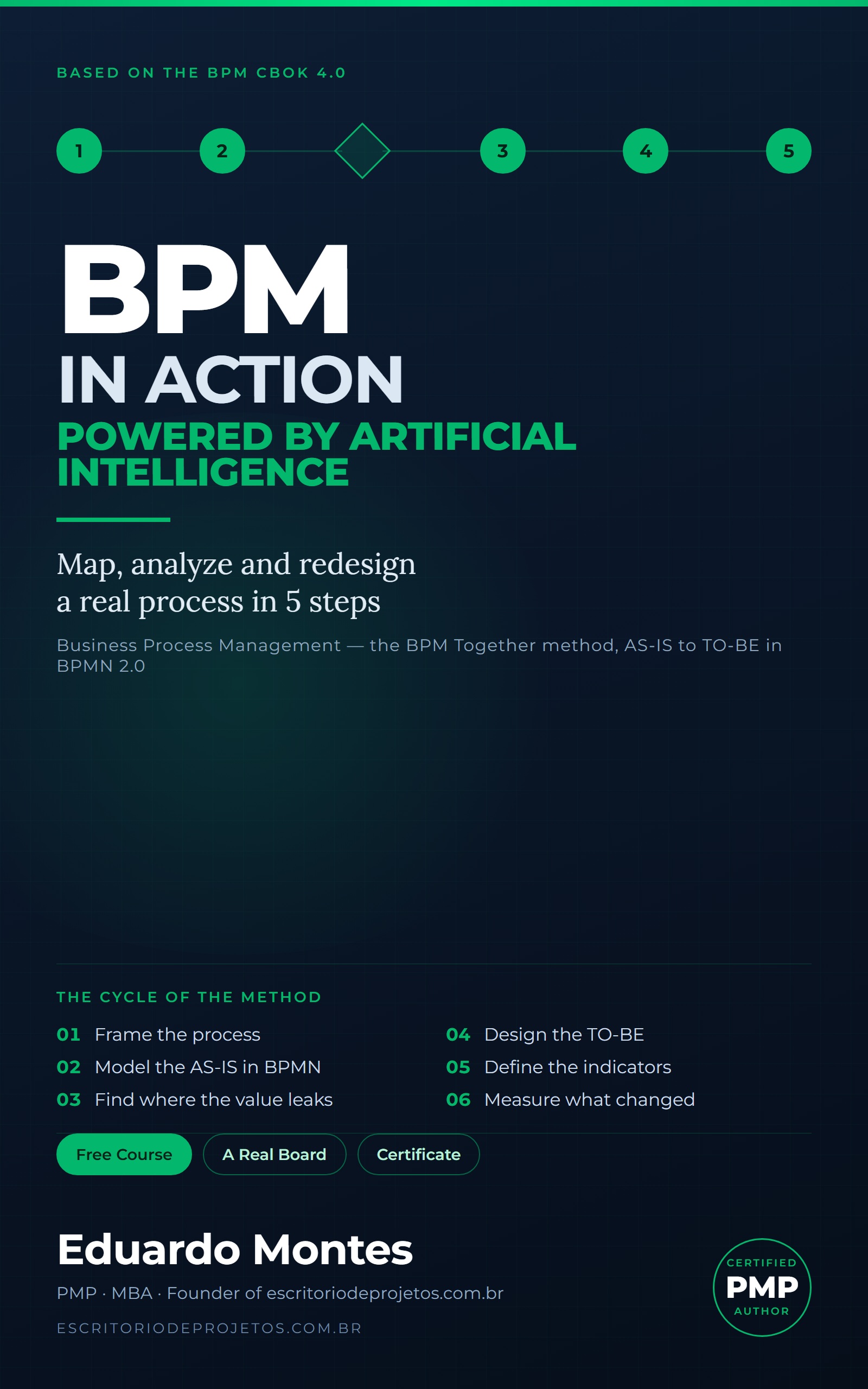
BPM in Action
Map, analyze and redesign one real process of your own in 5 steps — from the AS-IS draft to a BPMN 2.0 diagram, with AI at every phase.
See the book — US$ 5.99 →
 Project Management